

Control speed between keyframes
-
In the Composition or Layer panel,
adjust the spatial distance between two keyframes on the motion
path. Increase speed by moving one keyframe position farther away
from the other, or decrease speed by moving one keyframe position
closer to the other.
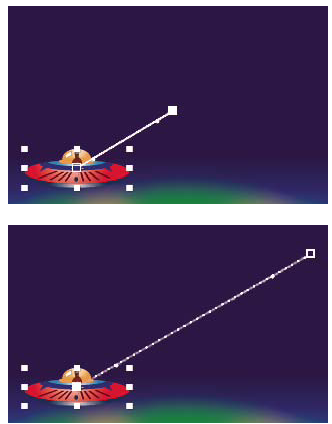 More spatial distance between keyframes increases layer speed.
- In layer bar mode or in the Graph Editor, adjust the
time difference between two keyframes. Decrease speed by moving
one keyframe farther away from the other, or increase speed by moving
one keyframe closer to the other.
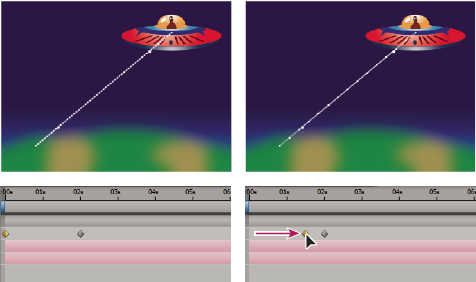 Shorter temporal distance between keyframes increases layer speed.