

Log clips for batch capturing
You can specify which shots you want to use from source tapes by logging them as a set of offline files for later capture. If you set device‑control options in the Preferences dialog box to remotely control your camera or deck, you can create offline files by using the clip‑logging controls in the Capture panel, and then use the Batch Capture command to capture the logged clips automatically.
If you have a list of In and Out points, you can log them manually without a device online; simply enter each shot’s In and Out points and click the Log Clip button. You can also log frame numbers using a separate logging or spreadsheet program and then import the spreadsheet into Adobe Premiere Pro as a list of offline files.
- Repeat steps 2 through 6 to log each shot you want to
batch capture.
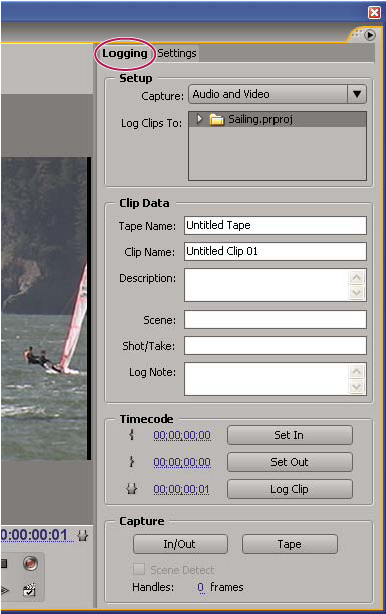 Capture panel with Logging active