Change the appearance of the Timeline
By default, the Timeline appears at the top of the main application window, above the Stage. To change its position, detach the Timeline from the Stage and float it in its own window or dock it to any other panel you choose. You can also hide the Timeline.
To change the number of layers and frames that are visible, resize the Timeline. To view additional layers when the Timeline contains more layers than can be displayed, use the scroll bars on the right side of the Timeline.
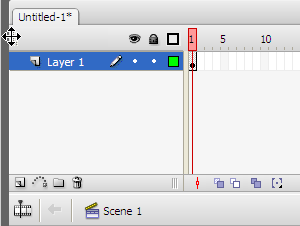
Dragging the Timeline
- To move the Timeline when it is docked to the application window, drag the gripper (2 dotted vertical bars) at the upper-left corner of the Timeline.
- To dock an undocked Timeline to the application window, drag the gripper (2 dotted vertical bars) to the top of the application window.
- To dock an undocked Timeline to other panels, drag the Timeline title bar tab to the location you choose. To prevent the Timeline from docking to other panels, press Control while you drag. A blue bar appears to indicate where the Timeline will dock.
- To lengthen or shorten layer name fields in the Timeline panel, drag the bar separating the layer names and the frames portions of the Timeline.
 Resize the Timeline