About overlapping shapes
When you use the Pencil, Pen, Line, Oval, Rectangle, or Brush tool to draw a line across another line or painted shape, the overlapping lines are divided into segments at the intersection points. To select, move, and reshape each segment individually, use the Selection tool.
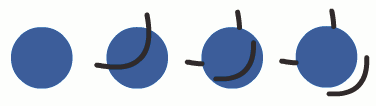
When you paint on top of shapes and lines, the portion underneath is replaced by whatever is on top. Paint of the same color merges together. Paint of different colors remains distinct. To create masks, cutouts, and other negative images, use these features. For example, the following cutout is made by moving the ungrouped kite image onto the green shape, deselecting the kite, and then moving the filled portions of the kite away from the green shape.
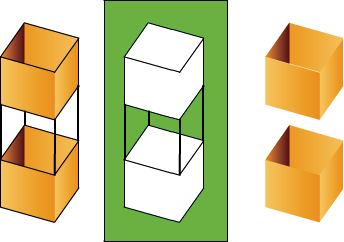
To avoid inadvertently altering shapes and lines by overlapping them, group the shapes or use layers to separate them.
