Getting Started with Flash Lite 1.x 


Getting Started with Flash Lite 1.x |
|
|
|
| Flash Lite Overview > Workflow for authoring Flash Lite applications | |||
|
|||
|
|||
|
|||
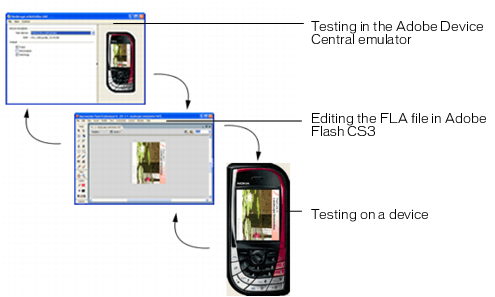
The process for creating Flash Lite content is an iterative one that involves the following steps:
Identify your target device(s) and Flash Lite content type Different devices have different screen sizes, support different audio formats, and have different screen color depths, among other factors. These factors may influence your application's design or implementation.
In addition, different devices support different Flash Lite content types, such as screen savers, stand-alone applications, or animated ring tones. The content type for which you are developing also determines the features that are available to your application. For more information about Flash Lite content types, see About Flash Lite content types.
Create and test your application in Flash Adobe Flash CS3 Professionalincludes an emulator available on Adobe Device Central CS3, which lets you test your application without having to transfer it to a device. You use the emulator to refine your application design and fix any problems before you test it on a mobile device.
Test the application on your target device or devices This step is important because the emulator doesn't emulate all aspects of the target device. For instance, a color gradient that appears smooth in the emulator may appear banded when viewed on the actual device. After testing your application on a device, you may find that you need to refine the application's design in the Flash authoring tool.
The following figure illustrates the iterative development and testing process described above.
|
|||
|
|||
|
|||
|
|
|
|