

Playing a bundled video directly from the library
Earlier in this document (see Using bundled device video) you learned how to import and play a single bundled device video. To do this, you imported the device video into the library, added an instance of the video symbol to the Stage, and called the Video.play() method on the video instance.
You can also use a single Video object on the Stage to play multiple bundled device videos directly from the library. To do this, you bundle the device video in your application's library. You also assign an identifier to the video symbol that lets you reference the video symbol with ActionScript, as the following image shows:
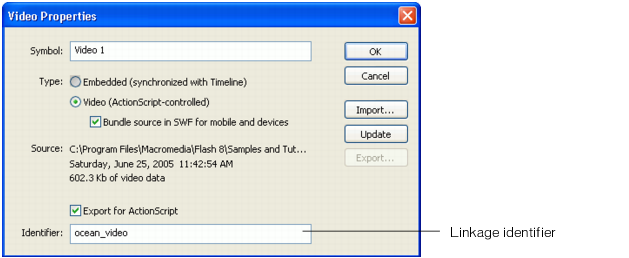
You then create another placeholder video symbol and add an instance of it to the Stage. To use the placeholder video to play the device video in the library, you pass the symbol's ActionScript identifier to the Video.play() method, as the following example shows:
placeHolderVideo.play("symbol://ocean_video");