

Enable the 8 kHz sampling rate feature for an individual sound
- In Flash, right-click (Windows) or Control-click (Macintosh) a sound symbol in the Library panel and choose Properties from the context menu.
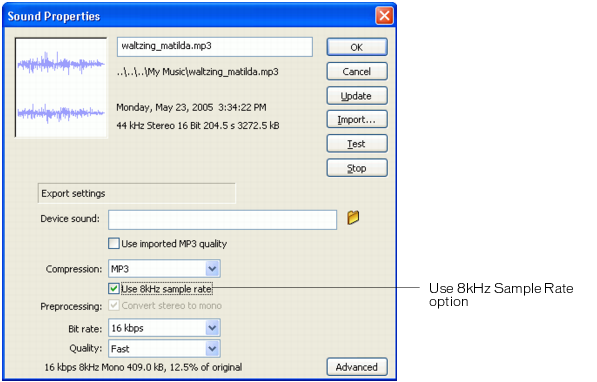
- In the Sound Properties dialog box that appears, select MP3 from the Compression pop-up menu.
The 8 kHz sampling feature is available only for MP3-compressed audio.
- Deselect the Use Imported MP3 Quality option, if selected.
- Select the Use 8kHz Sample Rate option.
- Click OK.