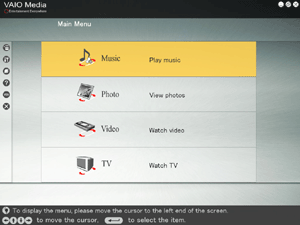
Use VAIO Media to play back music files stored on a computer used as the server.
|
Before Listening to Music
- The computer containing tracks is called a server. The computer that you use to play back tracks with VAIO Media is called a client. If the tracks to which you want to listen are on the same computer as the one running VAIO Media, your computer is both a server and a client. For details about servers and clients, click here.
- Before you can listen to music, you must first configure the server and clients for use with VAIO Media.
 Preparing your Network for use with VAIO Media Preparing your Network for use with VAIO Media |
To listen to music, click Music on the VAIO Media main menu.
VAIO Media begins searching for servers. When the search is complete, the results will appear on the "Please select a server" screen.
Click the server that contains the tracks that you want to listen. This will display the folders.
Depending on the status of the server that you are attempting to access, connection may not always be possible.

Hints
- When searching for servers across the network, VAIO Media will default to the last server that you accessed. It will automatically display the available folders on that server.
- When a computer on the network is running Content Collection, you can view the content of all servers on the network by selecting that computer in the list. For details, see Connecting to Servers with VAIO Media.
- The onscreen menus, lists, playback screens, etc., can be operated by keyboard or remote control. For details, see Keyboard & Remote Control Operations.


 Listening to Music