

Using the Repeater to replicate shapes
The Repeater path operation creates virtual copies of all paths, strokes, and fills above it in the same group. The virtual copies are not represented by separate entries in the Timeline panel, but they are rendered in the Composition panel. Each copy is transformed according to its order in the set of copies and the values of the properties in the Transform property group for that instance of the Repeater.
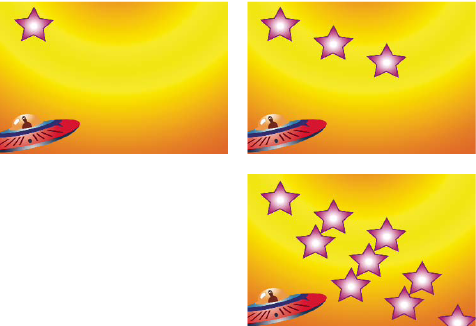
If the original shape is numbered 0, the next copy is numbered 1, and so on, then the result of the Repeater is to apply each transformation in the Transform property group n times to copy number n.
Consider the example of the Repeater applied to a shape with the Copies value set to 10 and the Position property in the Transform property group for the Repeater set to (0.0, 8.0). The original shape remains in its original position, (0.0, 0.0). The first copy appears at (0.0, 8.0), the second copy appears at (0.0, 16.0), the third copy appears at (0.0, 24.0), and so on until the ninth copy at (0.0, 72.0), for a total of ten shapes.
You can apply multiple instances of the Repeater within the same group. In other words, you can repeat the Repeater. This is an easy way to create a grid of virtual copies of a single shape: just set the Position property for one instance of the Repeater to modify the horizontal values, and another instance to modify vertical values.
 Animating the Offset
property is a good way to easily create interesting results.
Animating the Offset
property is a good way to easily create interesting results.The Composite option determines whether copies are rendered above (in front of) or below (behind) the copies that precede them.
Use the Start Opacity value to set the opacity of the original shape, and the End Opacity value to set the opacity for the last copy. Opacity values for copies in between are interpolated.
If you place the Repeater after a path, above the fill and stroke property groups for a shape, then the set of virtual copies is filled or stroked as a compound path. If you leave the Repeater below the fill and stroke, then each copy is filled and stroked individually. The difference is most apparent with gradient fills and strokes.