

Levels (Individual Controls) effect
The Levels (Individual Controls) effect functions like the Levels effect but allows you to adjust the individual color values for each channel. As a result, you can add expressions to individual properties or animate one property independently of the others. To see each control individually, click the arrow next to the channel color to expand it.
This effect works with 8-bpc, 16-bpc, and 32-bpc color.
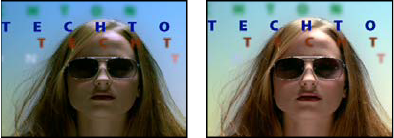
Original (left), and with effect applied (right)