

Dust & Scratches effect
The Dust & Scratches effect reduces noise and defects by changing dissimilar pixels within a specified radius to be more like their neighboring pixels. To achieve a balance between sharpness of the image and hiding defects, try various combinations of Radius and Threshold settings.
This effect works with 8-bpc and 16-bpc color.
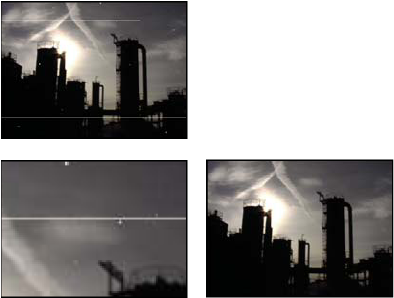
Original image with scratches (top left), enlarged view of
scratches (bottom left), and scratches removed with loss of clarity
(bottom right)
- Radius
- How far the effect searches for differences among pixels. High values make the image blurry. Use the smallest value that eliminates the defects.
- Threshold
- How different pixels can be from their neighbors without being changed by the effect. Use the highest value that eliminates the defects.