

Basic Text effect
The Basic Text effect places text on an existing layer—unlike text created on text layers or imported text created in Adobe Photoshop or Adobe Illustrator, either of which becomes its own layer. Use text layers for greater control over text formatting and text animation. (See Text.)
This effect works with 8-bpc color.
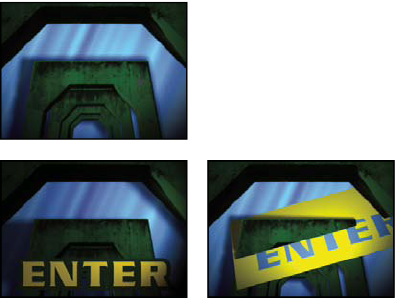
Original (top left) and after applying Basic Text (bottom
left) and selecting Composite On Original (bottom right)
After Effects creates an alpha channel for text it creates. You can use a text effect’s alpha channel with features such as track matte.
Note: The width and height of text aren’t constrained by the dimensions
of the layer; the layer dimensions merely define the visible region
of the text. This feature makes it simple to scroll text over a
layer.
- Position
-
The position of the text on the layer.
Note: The behavior of the Position point is affected by the Alignment setting in the Basic Text dialog box. The point always positions the vertical center of the text relative to the layer. However, if the text is left aligned, the point positions the left edge; if the text is center aligned, the point positions the center; and if the text is right aligned, the point positions the right edge.