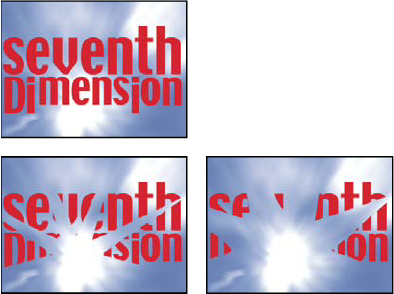
Iris Wipe effect
The Iris Wipe effect creates a radial transition that reveals an underlying layer. Specify the number of points used to create the iris using a range of 6 to 32 points, and specify whether an inner radius is used. If Use Inner Radius is selected, you can specify values for both Inner Radius and Outer Radius; the iris isn’t visible if Outer Radius, Inner Radius, or both are set to 0. The iris is roundest if both Outer Radius and Inner Radius are set to the same value.
The Iris Wipe effect is the only Transition effect that doesn’t have a Transition Completion property. To animate the Iris Wipe effect to expose the underlying layers, animate the Radius properties.
This effect works with 8-bpc and 16-bpc color.