Specify contact information for a print job
You specify the contact information for your print job using the Contacts Manager.
 Specify or update contact information
- In the JDF Job Definitions dialog
box, click Contacts Manager, and then make a selection:
-
Click Add to specify a new contact.
-
Select a contact in the list, and click Edit to update the information.
-
Select a contact in the list, and click Duplicate to base a new contact on an existing one.
-
- In the Contact Information dialog box, fill in the name and address text boxes.
- Do one of the following to update the Communication Channels
section:
-
Click Add to enter new information. The options change according to the type of communication channel you choose.
-
Select an item in the list, and click Edit to update the information.
-
Select an item in the list, and click Remove.
-
Add a contact to a job definition
- Double-click a job function in the right column, or choose
job functions in the right column, and click the Add button. You
can choose from the default list or add custom job functions.
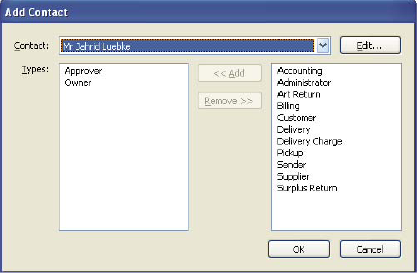 Add Contact dialog box
Add a job function to a job definition
- In the JDF Job Definitions dialog box or on the Customer Info tab, click Contacts Manager.
- Click Additional Contact Types.
- Update the list of job functions and contact types, as
needed:
-
Click Add to enter a new job function.
-
Select a job function in the list, and click Edit to update the information.
-
Select a job function in the list, and click Remove.
-