Define media specifications for a print job
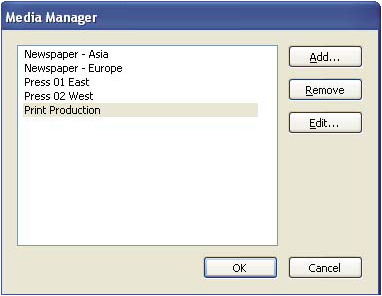
You specify the media for each component of your print job using the Media Manager. If you know the stock brand, you can specify it. Otherwise, you describe the characteristics of the medium, and a particular stock is matched to those characteristics at the production site.
 Define media specifications
Add a media specifications to a
job definition
- In the JDF Job Definitions dialog box, select a job definition and click Edit.
- In the document hierarchy, select a section in the second level of the hierarchy.
- Select an option from the Media pop-up menu.
- If a media option doesn’t exist, or there is no media appropriate for the job definition, click the Media Manager button.
- Update the media specifications, as needed:
-
Click Add to enter new information.
-
Select an item in the list, and click Edit to update the information.
-
Select an item in the list, and click Remove.
-
Media options
Use Media options to specify paper requirements.
- Description
-
Unique identifier for the media.
- Media Type
-
Paper or transparency.
- User Media Type
-
A description of the type of media.
- Grade
-
The grade of the paper. The offset printing grades are based on a scale of 1 through 5, where Gloss-Coated is “1” and Uncoated, Yellowish is “5.”
- Weight
-
The intended weight of the media, measured in grams per square meter (g/m2).
- Thickness
-
The thickness of the chosen medium, measured in microns (µm).
- Opacity
-
The opacity of the media. Use Opaque for two-sided printing when you don’t want the printing on the other side to show through under normal light. Use translucent for back-lit viewing.
- Texture
-
The intended texture of the media.
- Front/Back Coating
-
The prepress coating applied to the front and back surfaces of the media.
- Stock Brand
-
The brand name associated with the media.
- Stock Type
-
Available stock types. Note that Offset includes book stock.
- Brightness
-
Reflectance percentage.
- Recycled Amount
-
The percentage, between 0 and 100, of recycled material the media must contain.
- Color
-
Media color.
- Shade
-
The color’s shade, light or dark.
- Clear
-
An option for specifying whether the color is translucent.