Fix hairlines
Very thin lines, called hairlines, are problematic in offset printing. If left as is in PDFs, they might not appear in the final printed piece. The Fix Hairlines tool can find most hairlines and replace them with a heavier weight line.
- Choose Advanced > Print Production > Fix
Hairlines, or select the Fix Hairlines tool
 on
the Print Production toolbar.
on
the Print Production toolbar. - Enter a width for the hairline you want to find, and
enter a replacement width.
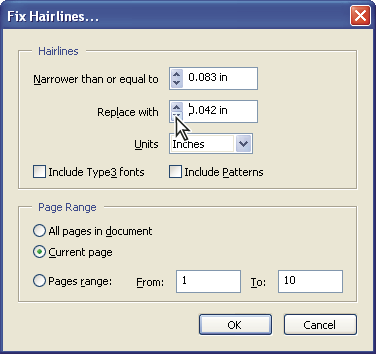 Adjust hairline widths using increment arrows. Shift-click arrows to change widths by whole integers.