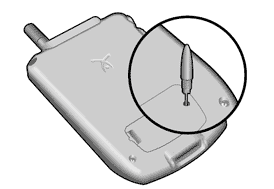

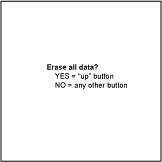
In response, do one of the following:
- Press the UP button to complete the hard reset, erasing everything on your device
or - Press LEFT or RIGHT to begin a soft reset, leaving your data intact
Warning: A hard reset will erase everything on your device. All your data will be removed, and formats, preferences and other settings are restored to their factory default settings. Don't perform a hard reset unless you've backed up your data, or you're willing to lose everything.
A hard reset does not delete the current date and time. It does restore other settings to the factory default.
HotSync note: Some third-party applications change the way your handheld backs up data. Other third-party applications do not back up data. If you have third-party software on your device, please contact the developer to learn what components are backed up during a HotSync operation, and if HotSync conduits are altered. Any data not backed up will be lost.