About the Property inspector
The Property inspector provides easy access to the most commonly used attributes of the current selection, either on the Stage or in the Timeline. You can make changes to the object or document attributes in the Property inspector without accessing the menus or panels that also control these attributes.
Depending on what is currently selected, the Property inspector displays information and settings for the current document, text, symbol, shape, bitmap, video, group, frame, or tool. When two or more different types of objects are selected, the Property inspector displays the total number of objects selected.
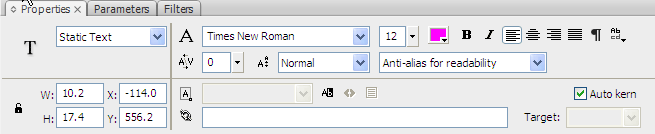
To display the Property inspector, Select Window > Properties > Properties, or press Control+F3 (Windows) or Command+F3 (Macintosh).
