Actions panel overview
To create scripts embedded in a FLA file, enter ActionScript directly into the Actions panel. The Actions panel consists of three panes: the Actions toolbox, which groups ActionScript elements by category; the Script navigator, which lets you move quickly between the scripts in your Flash document; and the Script pane, where you type your ActionScript code.
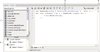
 Display the Actions panel
Use the Actions toolbox
 Insert an ActionScript element into the
Script pane by double-clicking or dragging it directly into the
Script pane.
Insert an ActionScript element into the
Script pane by double-clicking or dragging it directly into the
Script pane.
The Actions toolbox separates items into categories, and also provides an alphabetical index.
Use the Script pane
Resize the Actions toolbox or Script
pane
- Drag the vertical bar that appears between the Actions toolbox and Script pane.
-
Click the Show/Hide Toolbox button
 at
the top of the Actions panel.
at
the top of the Actions panel.
- Double-click the vertical bar to collapse the Actions toolbox; double-click the bar again to display the Actions toolbox.
- Click the arrow on the vertical bar to expand or collapse the Actions toolbox.
When the Actions toolbox is hidden, you can still use the Add (+) button to access its items.
Use the Script navigator
-
Click an item in the Script navigator; the script associated with that item appears in the Script pane, and the playhead moves to that position on the timeline.
-
Double-click an item in the Script navigator to pin the script (lock it in place).
