Using ActionScript 3.0 Components 


Using ActionScript 3.0 Components |
|
|
|
| Customizing the UI Components > Customizing the TextArea > Using skins with the TextArea | |||
|
|||
|
|||
|
|||
The TextArea component uses the following skins, which you can edit to change its appearance.
: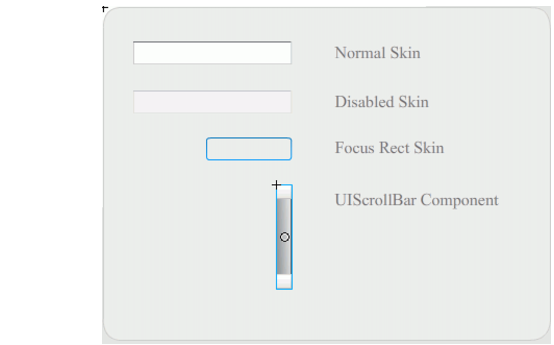
TextArea skins
|
NOTE |
Changing the ScrollBar skin in one component will change it for all other components that use the ScrollBar. |
The following procedure changes the border colors of the Focus Rect Skin, which appears when the TextArea has focus, and the Normal skin.
 To change the color of the TextArea borders:
When you select the TextArea to begin entering text, its border should appear as shown in the following illustration:

The outer border is the Focus Rect skin and the inner border is the border of the Normal skin.
For information about editing the UIScrollBar skin see Customizing the UIScrollBar.
|
|||
|
|||
|
|||
|
|
|
|