Using ActionScript 3.0 Components 


Using ActionScript 3.0 Components |
|
|
|
| Working with Components > Working with component files > Modifying the component files | |||
|
|||
|
|||
|
|||
If you update, add, or remove SWC-based components or add new FLA-based components to Flash, you must reload them to the Components panel to make them available. You can reload the components either by restarting Flash or by selecting Reload from the Components panel menu. This will cause Flash to pick up any components that you've added to the Components folder.
 To reload components in the Components panel while Flash is running: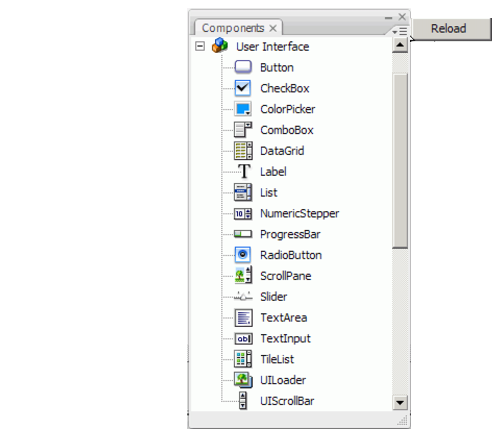
Reload menu item in the Components panel menu
To remove a component from the Components panel:You can remove and replace SWC-based components while Flash is running, and reloading will reflect the changes, but if you change or delete FLA-based components, the changes are not reflected until you terminate and restart Flash. You can, however, add FLA-based components and load them with the Reload command.
|
TIP |
Adobe recommends that you first make a copy of any Flash component file (.fla or .as) that you are going to alter. Then you can restore it, if necessary. |
|
|||
|
|||
|
|||
|
|
|
|