Using ActionScript 2.0 Components 


Using ActionScript 2.0 Components |
|
|
|
| Working with Components > Sizing components | |||
|
|||
|
|||
|
|||
Use the Free Transform tool or the setSize() method to resize component instances.
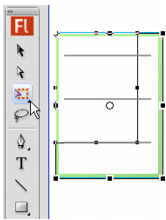
Resizing the Menu component on the Stage with the Free Transform tool
You can call the setSize() method from any component instance (see UIObject.setSize() in ActionScript 2.0 Components Language Reference) to resize it. The following code resizes the TextArea component to 200 pixels wide and 300 pixels high:
myTextArea.setSize(200, 300);
|
NOTE |
If you use the ActionScript |
A component does not resize automatically to fit its label. If a component instance that has been added to a document is not large enough to display its label, the label text is clipped. You must resize the component to fit its label.
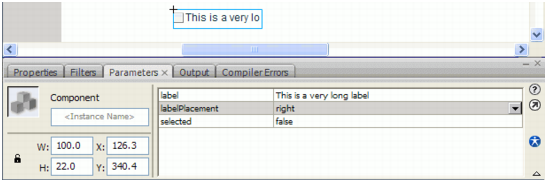
A clipped label for the CheckBox component
For more information about sizing components, see their individual entries in the ActionScript 2.0 Components Language Reference.
|
|||
|
|||
|
|||
|
|
|
|