Getting Started with Flash Lite 1.x 


Getting Started with Flash Lite 1.x |
|
|
|
| Creating a Flash Lite Application > Café application overview | |||
|
|||
|
|||
|
|||
The café application's initial screen contains some introductory text about the restaurant and a menu listing two options: Specials and Reservations. The user selects a menu item by pressing the Up and Down arrows on their device to set the focus, and then pressing the Select key to confirm the selection.
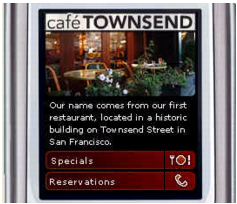
The café application's main screen
If the user selects the Specials menu option, a screen for navigating a list of today's specials appears. To browse images and descriptions of the specials, the user presses the device's Right soft key (labeled Next). To return to the main application, the user presses the Left soft key (labeled Home).
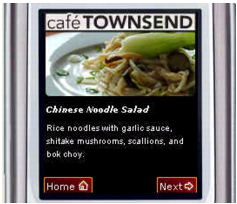
The cafe application's specials screen
If the user selects the Reservations option on the main screen, the application initiates a phone call to the restaurant. Before Flash Lite dials the requested number, it always asks the user to confirm that they would like to make the call.
|
|||
|
|||
|
|||
|
|
|
|