Flash Lite specific information in the emulator
The emulator includes panels that supply information specific to your Flash Lite application. The panels appear along the right side of the window; you can collapse and expand them as you do in Flash.
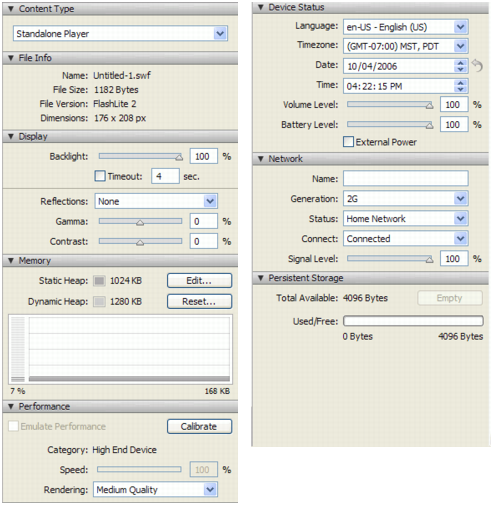
- The Content Type panel shows the default content type for your application and allows you to select other applicable content types.
- The File Info panel displays the filename, Flash file version, dimensions, and size in kilobytes.
- The Alert panel appears when there is a problem and displays warning messages.
- The Memory and Performance panels show the size of static and dynamic memory and allow you to adjust various parameters to tune your application for performance.
- The Device Status panel shows the values of various platform-specific (
fscommand()) settings, such as time zone and battery level.
- The Network panel displays information about your network connectivity.
- The Persistent Storage panel shows you how much storage on the device has been used. This is a per-device value: if multiple applications write to the persistent storage, the value is the sum of all their data. You can click Empty to clear the store for that particular device, in order to remove the persistent objects for all content that ran on that device.
For details about these panels and how to use them, see the Adobe Device Central online help.



