Input text dialog boxes (Flash Lite 2.0)
In Flash Lite 2.0, the user enters text into a separate modal dialog box (controlled by the host application, not Flash Lite) rather than interacting with the onscreen text field directly. During this interaction, the Flash Lite player is effectively paused until the user exits the dialog box.
(In Flash Lite 2.1 and later, the user can enter text directly into the onscreen text field.)
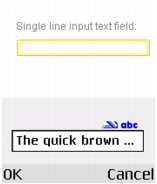
The following image shows a device's input text dialog box for a single line input text field in a Flash Lite 2.0 application:
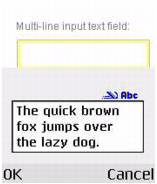
When a user edits a multiline input text field, the device's input text dialog box expands as necessary to display all the text the user enters, as the following image shows:
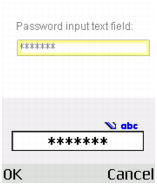
When a user edits a password input text field, the device's input text dialog box displays each character that the user enters. When the user clicks OK, the entire password is masked with asterisks, as the following image shows: