
 Watching Television
 |
|
|
Watching Television |
|
|

|
 Hint
Hint |
 |
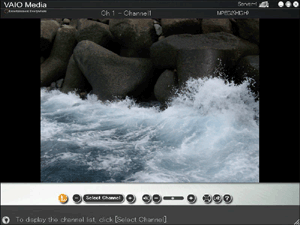
Click to select the channel. Click - or + to change the channels one by one. Click Select Channels to display the channel list and select the channel that you want to watch. |
 |
Click to mute or activate the sound. |
 |
Drag the slider to adjust the sound volume. Click - or + to incrementally adjust the volume. |
  |
Click to change the display to full-screen or standard size. |
 |
Click to select the audio channel mode from Left, Right, or Left+Right.* *Some television broadcasts may contain secondary audio program (SAP) and the MAIN and SAP signals are output to the left and right audio channels, respectively. |
|
 to display the channel list. When you click the channel that you want to watch, the channel list closes and the selected channel appears.Hints
 |
 to return to the previous screen.
