To play DSD Files with other computers

|
To play DSD Files with other computers |
|
|
 Notes
Notes|
1. |
Click
A dialog box appears. (Get Installer) below. (Get Installer) below. |
|
2. |
Click Save.
A dialog box appears where you can specify the save destination of the Installer. |
|
3. |
Specify the location where you want to save the Installer (DSD to PCM Playback Plug-in.exe). |
|
4. |
Click Save.
The Installer is saved in the specified location. |
|
5. |
Copy the Installer to CD-R, "Memory Stick", or other storage media compatible with the computer where you want to copy the Installer.
For details about the types of compatible storage media and copy methods, refer to the user manuals provided with your computer or online documentation. |
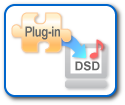 Click here! |
|
|
Before running the Installer
|
|
1. |
Close all other programs running on your computer. |
|
2. |
Insert the storage media containing the Installer into the appropriate drive of your computer. |
|
3. |
Access the storage media containing the Installer, and double-click "DSD to PCM Playback Plug-in Setup.exe". |