Changing company information
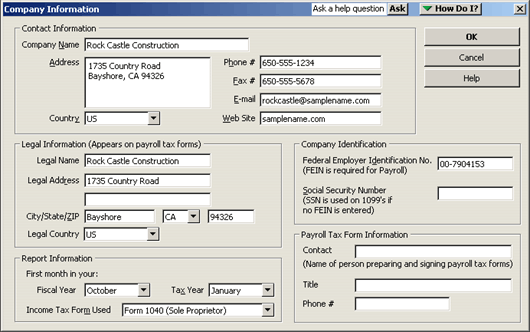
You can change your company information at any time. From the Company menu, choose Company Information.
Information you enter here
can be added to your sales
forms using the Layout
Designer.

If you change the tax form you use, all associations between accounts and tax lines are reset to
"Unassigned." You will need to reset them appropriately.
 To learn about changing information about your company see company, changing information about,
or, to learn more about putting company information on your sales forms, see customizing forms, company information in the online Help index.
To learn about changing information about your company see company, changing information about,
or, to learn more about putting company information on your sales forms, see customizing forms, company information in the online Help index.
This Decision Tool focuses on Periodic Tasks.
|