



|
|
|
|
|
| Understanding disc image files | |||||
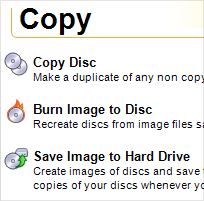
Use the Burn Image project to create
a disc from a disc image file. Use the Save Image project to create a
disc image file from a disc.
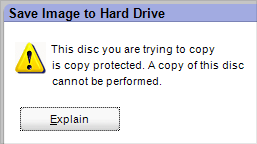
Disc image files cannot be created
from copy-protected discs. |
All the information stored on a disc can be converted into a single file called a disc image. That disc image file can then be used to reproduce the original disc. There are several disc image types or formats. Roxio has two proprietary formats: Global-Image and Roxio Image. Global-Image and Roxio Image files contain not only the data files on a disc, but the exact placement of those files, their folder structure, read and write properties, and much more. Files in the Global-Image format can be recognized by the .gi file-name extension. Roxio Disc Image files have a .c2d file-name extension. Some mastering products cannot read files in these formats, however. This could cause a problem if someone needed to create a disc from your disc image and they did not have the necessary Roxio software installed on their computer. For this reason, you also have the option to create disc images of data discs in a less complete, but more compatible, format known as ISO. |
||||
 |
 |
 |
 |
 |
© 2000-2006 Sonic Solutions. All Rights Reserved. |