| Make a data disc |
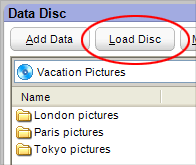
The Load Disc button is used to
load the contents of an appendable disc into your Data Disc project. |
A data disc
is a disc used to store electronic data, such as the files and applications
that reside on your computer's hard drive.
Unlike audio CDs, data discs are primarily
used to store files for use on a computer.
|
- Data disc projects can be spread across more than one
disc.
- Use the Volume Label text box to give
your disc a name.
- To cancel a Data Disc project and start
over, click on the New Project button.
- Data Disc projects can be saved by clicking
on the Save button. Saving a project allows you to
burn the same file set again in the future.
- Data Disc projects can also be created
using Mini Mode.
|
To create a data disc:
- Select the Data Disc project on the
Data tab.
- Select a destination drive and insert a disc in the drive.
- Use the Add Data button or the Quick
Scan panel to add files to your project. You can also add files
by dragging them directly to the project window.
- Click on the action button to begin recording.
|






