| Copy options |
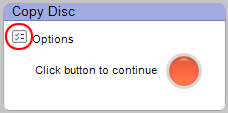
The Options button (circled). |
The Options
button is located near the action button on the right side of the control
panel. Click on it to access your Copy options.
Note:
Some of the options described here may not be available with your version
of the project launcher. Not all options are available with all drives
or operating systems.
|
The following Copy options are particularly noteworthy:
- Stage to hard drive for better quality
(slower): When this option on the Copy panel is selected, your Copy
Disc projects will always be staged to your hard drive before burning
them to a disc. Staging the project can reduce the chance of a burn
failure with some drives.
- Verify copied data discs (slower): This
option on the Copy panel adds a verification step to ensure no errors
occurred as your discs were copied.
- Use RAW mode for disc copies (slower):
During a normal copy project, the software will attempt to correct any
disc errors it finds. When this option on the Copy panel is selected,
no attempt is made to correct errors. Using RAW mode can take longer.
Not all drives support this format.
|






