

Delete strokes from an object or text
- In the Titler, do one of the following:
-
To delete strokes from an object, select the object.
-
To delete strokes from text, click the Text tool
 , and
then drag to select the text.
, and
then drag to select the text.
-
- From the Title Properties panel menu, choose Delete Stroke.
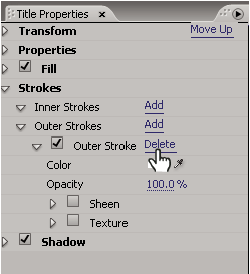 Selecting Delete Stroke from Title Properties panel menu