

Customize keyboard shortcuts
In addition to using the standard set of keyboard shortcuts, you can assign your own custom shortcuts to nearly any menu command, button, or tool. By customizing shortcuts, you can assign shortcuts to commands that don’t currently have shortcuts, reassign shortcuts from commands you rarely use to commands you use often, or set shortcuts to match other software you use. If other sets are available, you can choose them from the Set pop‑up menu in the Keyboard Customization dialog box. You can save different sets of shortcuts and restore the default settings.
- Repeat the procedure to enter as many shortcuts as you
want. When you’re finished, click Save As, type a name for your
Key Set, and click Save.
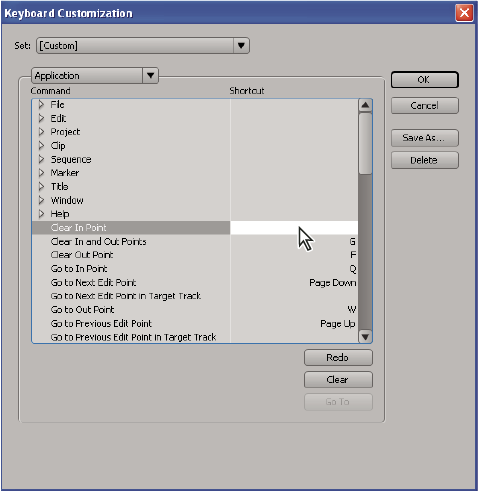 Selecting a shortcut
Note: Some commands are reserved by the operating system and cannot be reassigned to Adobe Premiere Pro. Also, you cannot assign the plus (+) and minus (-) keys on the numeric keypad because they are necessary for entering relative timecode values. You can assign the minus (–) key on the keyboard, however.