

Write‑on effect
The Write-on effect animates strokes on a clip. For example, you can simulate the action of hand-writing of cursive text or signatures.
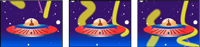
- Brush Position
- The position of the brush. Animate this property to create a stroke.
- Stroke Length (Secs)
- The duration, in seconds, of each brush mark. If this value is 0, the brush mark has unlimited duration. Use a single, constant, non-zero value to create a snakelike movement of the stroke. Animate this value to make the stroke expand and contract.
- Brush Spacing (Secs)
- The time interval, in seconds, between brush marks. Smaller values produce smoother paint strokes but take more time to render.
- Paint Time Properties and Brush Time Properties
- Specifies whether paint properties and brush properties are applied to each brush mark or to the entire stroke. Choose None to apply values at each time to all brush marks in the stroke. Choose a property name for each brush mark to retain the value for that property at the time that the brush mark was drawn. For example, if you choose Color, then each brush mark keeps the color specified by the Color value at the time that the mark was drawn.
- Paint Style
-
How the paint stroke interacts with the original image:
- On Original Image
- Paint stroke appears over original image.
- On Transparent
- Paint stroke appears over transparency; the original image doesn’t appear.
- Reveal Original Image
- The original image is revealed by the paint stroke.