

Use language-reference material
The Reference panel provides you with a quick reference tool for markup languages, programming languages, and CSS styles. It provides information on the specific tags, objects, and styles that you are working with in Code view (or the Code inspector). The Reference panel also provides example code that you can paste into your documents.
 Open the Reference panel
- Do one of the following in Code
view:
-
Right-click (Windows) or Control‑click (Macintosh) a tag, attribute, or keyword, and then select Reference from the context menu.
-
Place the insertion point in a tag, attribute, or keyword, and then press Shift+F1.
The Reference panel opens and displays information about the tag, attribute, or keyword you clicked.
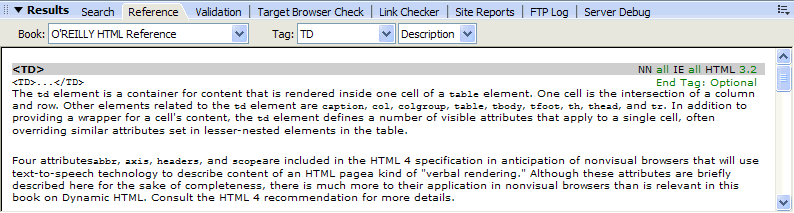
-
- To adjust the text size in the Reference panel, select Large Font, Medium Font, or Small Font from the options menu (the small arrow at the upper right of the panel).