

Work with brushes
To use the Brush Tips panel, first select a paint tool from the Tools panel.
 Choose a brush gallery display mode
 Choose a display mode from the
Brush Tips panel menu: Text Only, Small Thumbnail, Large Thumbnail,
Small List, or Large List.
Choose a display mode from the
Brush Tips panel menu: Text Only, Small Thumbnail, Large Thumbnail,
Small List, or Large List.Create and manage preset brushes
- To create a new preset
brush, specify the desired settings in the Brush Tips panel, and
then choose New Brush from the Brush Tips panel menu or click the Save
Current Settings As New Brush button
 .
. - To rename a preset brush, select the brush and choose Rename Brush from the panel menu.
- To delete a preset brush, choose Delete Brush from the
panel menu or click the Delete Brush button
 .
. - To restore the default set of preset brushes, choose Reset Brush Tips from the Brush Tips panel menu. To retain the custom brushes you created, click Append when the dialog box prompts you to replace current brushes with the default brushes.
Note: Preset brushes are saved in the preferences file,
so they persist between projects.
Brush properties
 Ctrl-drag (Windows) or
Command-drag (Mac OS) the brush in the Layer panel to adjust
Diameter; release the key and continue to drag to adjust Hardness.
Ctrl-drag (Windows) or
Command-drag (Mac OS) the brush in the Layer panel to adjust
Diameter; release the key and continue to drag to adjust Hardness.- Diameter
-
Controls the size of the brush.
 Strokes with low Diameter values (left) and high Diameter values (right)
- Angle
-
The angle by which an elliptical brush’s long axis is rotated
from horizontal.
Note: Brush angles can be expressed in both positive and negative values. For example, a brush with a 45º angle is equivalent to a brush with a -135º angle.
 Angled brushes create chiseled strokes: 45-degree brush (left), and -45-degree brush (right).
- Roundness
-
The ratio between the brush’s short and long axes. A value
of 100% indicates a circular brush, a value of 0% indicates a linear
brush, and intermediate values indicate elliptical brushes.
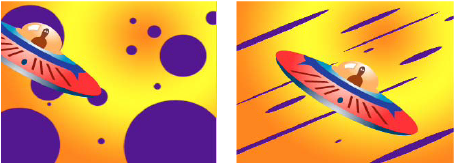 Brush strokes using 100% roundness (left) and varying percentages (right)
- Hardness
-
Controls the brush stroke’s transition from 100% opaque at
the center to 100% transparent at the edges. Even with high hardness
settings, only the center is fully opaque.
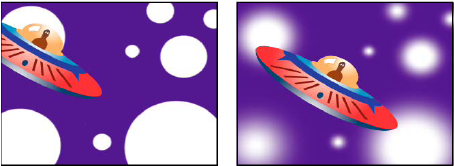 Hardness settings at 100% (left) and 0% hardness (right)
- Spacing
-
The distance between the brush marks in a stroke, measured
as a percentage of the brush diameter. When this option is deselected,
the speed at which you drag to create the stroke determines the
spacing.
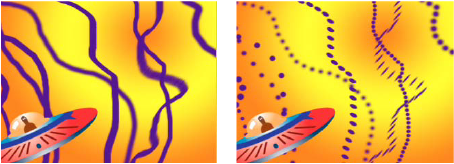 Decrease spacing for continuous strokes (left); increase spacing for dashed strokes (right).
- Brush Dynamics
- These settings determine how brush marks are controlled by the features of a pressure-sensitive digitizing tablet, such as a Wacom pen tablet. For each brush, you can choose Pen Pressure, Pen Tilt, or Stylus Wheel for Size, Angle, Roundness, Opacity, and Flow to indicate what features of the pen tablet you would like to use to control brush marks. For example, you can vary the thickness of brush marks by setting Size to Pen Pressure and pressing more firmly when drawing some portions of the stroke. If Size is not set to Off, Minimum Size specifies the size of the thinnest brush mark.