

Polar Coordinates effect
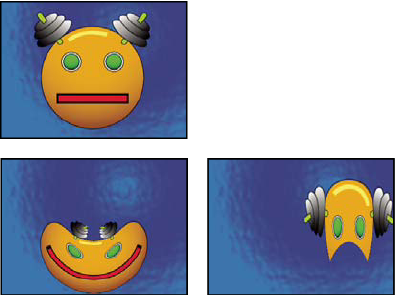
The Polar Coordinates
effect distorts a layer by transposing each pixel in the layer’s
(x,y) coordinate system to the corresponding position in the polar coordinate
system, or the reverse. This effect produces unusual and surprising distortions
that can vary greatly depending on the image and the controls you select.
The standard coordinate system specifies points by measuring the horizontal
distance (x axis) and the vertical distance (y axis) from the origin.
Each point is specified as (x,y). The polar coordinate system specifies
points by measuring the length of a radius from the origin (r) and
its angle from the x axis ( ). Each
point is specified as (r, ).
). Each
point is specified as (r, ).
This effect works with 8-bpc, 16-bpc, and 32-bpc color.
- Interpolation
- Specifies the amount of distortion. At 0%, no distortion occurs.
- Type of Conversion
-
The conversion process to use:
- Rect To Polar
-
Moves pixels by using (x,y) coordinates from each pixel as
(r, ) coordinates.
For example, an (x,y) coordinate of (2,3) becomes a polar coordinate with
a radius of 2 and a degree of 3. Horizontal lines distort into circles,
and vertical lines into radial lines.
- Polar To Rect
-
Moves pixels by using the (r, ) coordinates
from each pixel as the (x,y) coordinates. For example, polar coordinates
of radius 10 and 45° become (x,y) coordinates of (10,45).