

Beam effect
The Beam effect simulates the movement of a beam, such as a laser beam. You can make the beam shoot, or you can create a wandlike beam with stationary start and end points. The beam looks best when motion blur is enabled and the shutter angle is set to 360.
This effect works with 8-bpc, 16-bpc, and 32-bpc color.
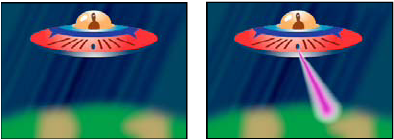
The Length control specifies the length of the beam based on a percentage of the Time specified. For example, a setting of 100% means that the visible beam length is at its maximum when the Time control is 50%. Time specifies the time of the beam’s travel from start to end as a percentage. The 3D Perspective control uses 3D perspective based on start and end thickness if Time is animated.