

Work with output module settings
Output module settings apply to each render item and determine how the rendered movie is processed for final output. Use output module settings to specify file format, output color profile, compression options, and other encoding options for final output.
You can also use output module settings to crop or stretch a rendered movie; doing this after rendering is often useful when you are generating multiple kinds of output from a single composition.
Output module settings are applied to the rendered output that is generated according to the render settings.
For some formats, an additional dialog box opens when you choose the format in the Output Module Settings dialog box. You can modify these settings and use settings presets to specify format-specific options, such as compression options.
You can apply more than one output module to each render item. This is useful when you want to make more than one version of a movie at the same time. For example, you can automate the creation of a movie and its alpha matte, or you can create high-resolution and low-resolution versions of a movie.
 Before
rendering, check the Audio Output settings in the Output Module
Settings dialog box to ensure that they are correct. To render audio,
Audio Output must be selected. If your composition does not include
audio, do not select Audio Output, so that the size of the rendered
file will not increase needlessly.
Before
rendering, check the Audio Output settings in the Output Module
Settings dialog box to ensure that they are correct. To render audio,
Audio Output must be selected. If your composition does not include
audio, do not select Audio Output, so that the size of the rendered
file will not increase needlessly.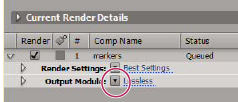
 Change output module settings
Create, manage, and edit output module templates
You perform the following tasks in the Output Module Templates dialog box. To open the Output Module Templates dialog box, choose Edit > Templates > Output Module, or click the triangle next to the Output Module heading in the Render Queue panel and choose Make Template.
Add an output module to selected render items
 Choose Composition >
Add Output Module
Choose Composition >
Add Output ModuleOutput module settings
For information on using controls in the Color Management area of the Output Module Settings dialog box, see Assign an output color profile.
- Format
- Specifies the format for the output file or sequence of files.
- Embed
- Specifies whether to include information in the output file that links to the source project in After Effects. When you open the output file in another application, such as Adobe Premiere Pro, you can use the Edit Original command to edit the source project in After Effects. Selecting Project Link creates a link between the output file and the source project. Selecting Project Link And Copy creates a link and adds an embedded copy of the linked project to the output file; if the project is missing or updated when you choose Edit Original in another application, you can choose whether to open the source project or the saved copy of the project.
- Post-Render Action
- Specifies an action for After Effects to perform after the composition is rendered. (See Use a post-render action.)
- Format Options
- Opens a dialog box in which you specify format-specific options.
- Channels
-
The output channels contained in the output movie. After
Effects creates a movie with an alpha channel if you choose RGB+Alpha,
implying a depth of Millions of Colors+. Not all codecs support
alpha channels.
Note: All files created with a color depth of Millions of Colors+, Trillions of Colors+, or Floating Point + have labeled alpha channels; information describing the alpha channel is stored in the file. Therefore, you do not have to specify an alpha interpretation each time you import an item created in After Effects.
- Depth
- Specifies the color depth of the output movie. Choose from color or grayscale options. Certain formats may limit depth and color settings.
- Color
-
Specifies how colors are created with the alpha channel.
Choose from either Premultiplied (Matted) or Straight (Unmatted).
(See About straight and premultiplied channels.)Note: PNG files don’t support premultiplied alpha.
- Starting #
- Specifies the number for the starting frame of a sequence. For example, if this option is set to 38, After Effects names the first frame [file_name]_00038. The Use Comp Frame Number option adds the starting frame number in the work area to the starting frame of the sequence.
- Stretch
- Specifies the size of your output movie. Select Lock Aspect Ratio To if you want to retain the existing frame aspect ratio when stretching the frame size. Select Low Stretch Quality when rendering tests, and select High Stretch Quality when creating a final movie. (See Scaling a movie down and Scaling a movie up.)
- Crop
-
Used to subtract or add rows or columns of pixels to the
edges of the output movie. You can specify the number of rows or
columns of pixels to be added or subtracted from the top, left,
bottom, and right sides of the movie. Use positive values to crop,
and use negative values to add rows or columns of pixels. Select
Region Of Interest to render only the region of interest selected
in the Composition or Layer panel.
By adding
one row of pixels to the top and subtracting one row from the bottom of
a movie, you can change the field order.
- Audio Output
- Specifies the sample rate, sample depth (8 Bits or 16 Bits), and playback format (Mono or Stereo). Choose a sample rate that corresponds to the capability of the output format. Choose an 8-bit sample depth for playback on the computer, and a 16-bit sample depth for CD and digital audio playback or for hardware that supports 16-bit playback.