

Arrange layers in time sequentially
Use the Sequence Layers keyframe assistant to automatically arrange layers in a sequence. When you apply the keyframe assistant, the first layer you select remains at its initial time, and the other selected layers move to new times in the Timeline panel based on the order in which you selected them.
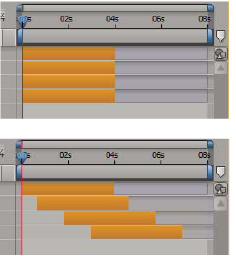
For a layer to be put into a sequence, its duration must be less than the length of the composition so that it leaves time for other layers. (See Trim, extend, or slip-edit a layer.)
- In the Timeline panel, hold down Ctrl (Windows) or Command (Mac OS) and select layers in sequential order, beginning with the layer to appear first.
- Choose Animation > Keyframe Assistant > Sequence Layers.
- In the Sequence Layers dialog box, do one of the following:
-
To arrange the layers end to end, leave the Overlap option unselected.
-
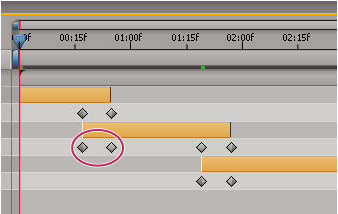
To overlap layers, select Overlap, enter a Duration value for the duration of the overlap, and select a transition. Select Cross Dissolve Front And Back Layers to use the transparency of the selected layers; otherwise, choose Dissolve Front Layer.
-
To leave gaps between the layers, select Overlap and enter a negative Duration value.
-