Create page thumbnails
Because page thumbnails increase file size, they are not automatically created. After you create page thumbnails, you can embed them in the PDF. Embedding prevents the page thumbnails from redrawing each time you click the Pages button, often a time-consuming process. Embedded page thumbnails won’t reflect changes that you make to document pages until you unembed the page thumbnails.
Both Distiller and the batch processing feature in Acrobat provide alternate methods of embedding page thumbnails.
 Create page thumbnails
 Click the Pages button on the left.
Page thumbnails appear in the navigation pane. This process may require several seconds, particularly in larger documents. The drawing of page thumbnails may pause if you interact with the application during this process.
Resize page thumbnails
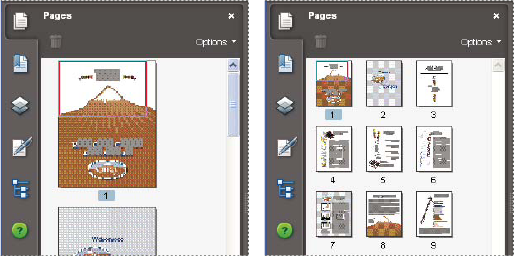
Embed or unembed page thumbnails
in a PDF
In the Pages panel, choose Embed
All Page Thumbnails or Remove Embedded Page Thumbnails from the
Options menu.Embed or unembed page thumbnails
in a PDF package
- Choose Advanced > Document Processing > Batch Processing.
- Do one of the following:
-
To embed page thumbnails, click Embed Page Thumbnails, and then click Run Sequence. Follow the instructions provided.
-
To unembed page thumbnails, click New Sequence, and set up a new batch processing operation to remove the embedded page thumbnails.
-