View and edit an article
Use the Article tool to create, display, and make changes to an article box in the PDF document.
 View articles on the page
View articles in the PDF
Delete an article or article box
 In
the Articles panel, and do one of the following:
In
the Articles panel, and do one of the following:-
To delete the entire article, select the article in the Articles panel, and press the Delete key.
-
To delete only one box from an article, right-click/Control-click the box, and choose Delete. In the warning message, select Box. If you select Article, the entire article is deleted.
The remaining articles or article boxes are automatically renumbered.
Insert an article box into an article
thread
- Click the plus sign at the bottom of the selected box,
and click OK when prompted to drag and create a new article box.
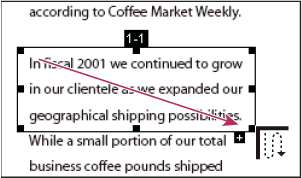 An example of selecting an article with the Article tool
Move or resize an article box
Using the Article tool, select
the article box, and do one of the following:-
To move the box, drag it to the new location.
-
To resize the box, drag a center handle to change only height or width, or drag a corner handle to change both dimensions.
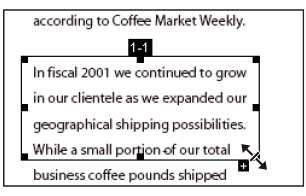 An example of resizing an article box
Edit article properties
- Using the Article tool, select the article box that you want to edit.
- Right-click/Control-click the box, and choose Properties.
- Change the information in the Articles Properties dialog box, and click OK.
Combine two articles
- In the document pane, select any article box in the article you want to be read first.
- Select the plus sign at the bottom of the article box, and click OK to dismiss the prompt to create a new article box.
- Ctrl/Option-click an article box you want to be read next. The second article is appended to the end of the first article. All article boxes in the piece are renumbered automatically.