Convert Colors dialog box overview
If
your PDF will be output to a high-end device or incorporated in
a prepress workflow, you can convert color objects in the document
to CMYK or another color space. Unlike other Acrobat features that
temporarily convert colors during printing or viewing, but leave
the document colors unchanged, the Convert Colors feature actually
changes the color values in the document. In the Convert Colors
dialog box, you can convert the colors of a single page or an entire document.
Note: The
Convert Colors dialog box converts all colors in the document to
the destination color space. To convert only the colors of selected
objects, use the TouchUp Object tool.
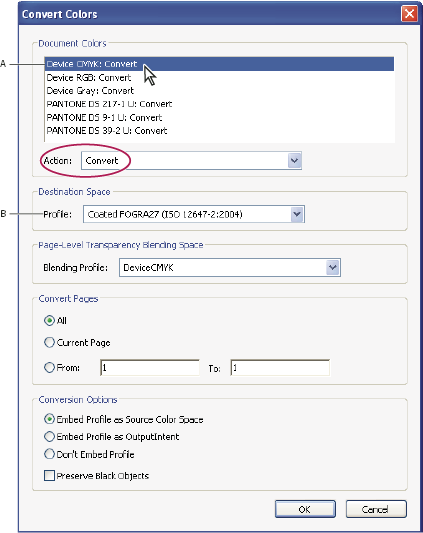
Convert Colors dialog box
- A.
- Document Colors
- B.
- Destination Space Profiles
 Open the Convert Colors dialog
box
Open the Convert Colors dialog
box Do one of the following:
 on
the Print Production toolbar.
on
the Print Production toolbar.