Flattener Preview dialog box overview
Use the preview options in the Flattener Preview dialog box to highlight the areas and objects that are transparent, as well as those affected by transparency flattening. Transparent content is highlighted in red, and the rest of the artwork appears in grayscale.
You can use this information to adjust the flattener options before you apply the settings, and then save them as flattener presets. You can then apply these presets from other dialog boxes in the application, including PDF Optimizer, the Advanced Print Setup dialog box, and the Settings dialog box for Save As PostScript.
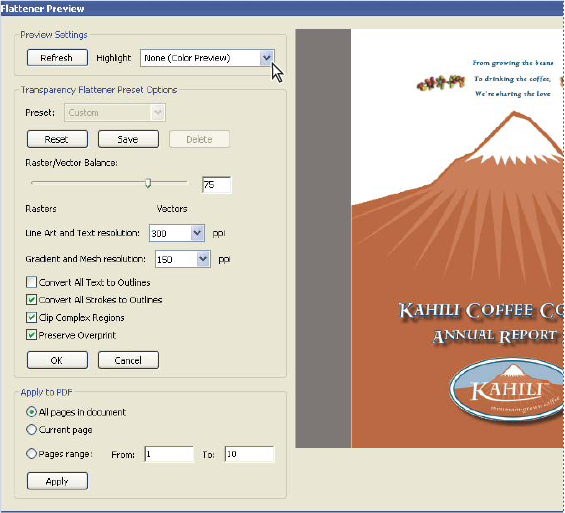
Flattener Preview dialog box displays a preview of current
PDF page using preview and flattener settings.
 Open the Flattener Preview dialog
box
Open the Flattener Preview dialog
box Choose Advanced > Print Production
> Flattener Preview, or select the Flattener Preview button
Choose Advanced > Print Production
> Flattener Preview, or select the Flattener Preview button  on
the Print Production toolbar.
on
the Print Production toolbar.