Add fixups to a profile

The Preflight tool includes a collection of fixups that you can add to a profile. These are all available from the Fixups section of each profile.

  1. Open the Preflight dialog box, and click Edit.
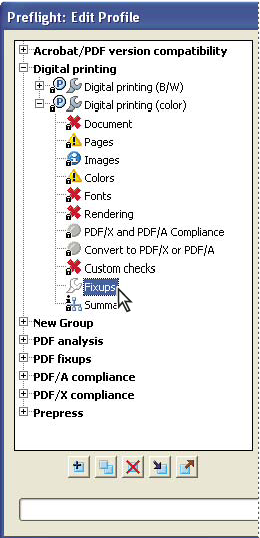
  2. Expand the category with the profile you want, and then expand the profile.
    graphic


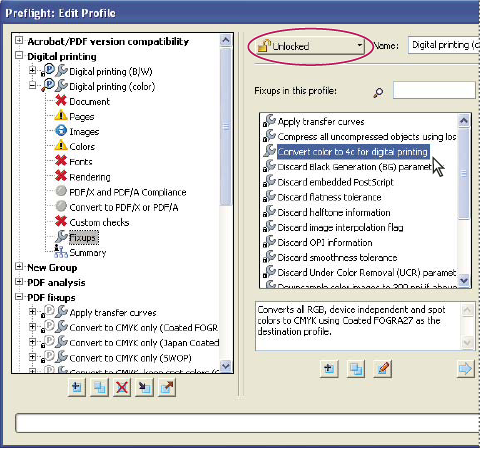
  3. If necessary, unlock the profile so that you can modify it. Choose Unlock from the pop-up menu at the top.
  4. Select Fixups from the items under the profile.
    graphic
    Fixups are available from the Fixups section of each profile


  5. Select a fixup from the column on the right and click the left-facing arrow to move the fixup to the column on the left.

    You can add as many fixups as you want.

    Note: To remove a fixup from a profile, select the fixup from the list on the left and click the right-facing arrow.